Good to know
-
Try every feature free for 30 days. After that, a personal
license costs US$9.90: see price and license.
No account and no ads.
-
On a Mac: Apple silicon and macOS 14 Sonoma or later. On Windows:
Windows 10 version 22H2 or Windows 11, 64-bit, from the Microsoft
Store. One license covers both.
-
Your files stay on your computer. Beaver Compare goes online only
to check for updates on a Mac (on Windows, the Microsoft Store
updates it) and, once, to activate a license: see
Privacy.
-
Using Beaver Compare or buying a license means you accept the
Beaver Compare License Agreement.
Questions or problems: write to
support@mindigest.com.
Price and license
PERSONAL LICENSE
Beaver Compare 1.x
US$9.90USD · through Creem
- Try every feature free for 30 days first.
- For one person, on up to 2 computers, Mac or Windows.
- Every 1.x version of Beaver Compare.
- 14-day refund, no questions asked.
No account and no sign-in. Beaver Compare does not count your
computers: the limit of 2 is on trust. It runs on Macs with Apple
silicon and macOS 14 or later, and on Windows 10 22H2 or Windows
11 (64-bit).
Where to buy
Licenses are sold online by Creem, our reseller and Merchant of
Record.
Buy for US$9.90 ↗
After you pay, your 16-character activation code, like
XXXX-XXXX-XXXX-XXXX, arrives by email. Keep it, with
your order number, somewhere safe: you need it again on a new
computer.
The same license works on Mac and on Windows. The Windows version
is a free download from the Microsoft Store, with the same 30-day
trial; the Store does not sell licenses.
Activate your license
-
Open Beaver Compare. On a Mac, choose
Beaver Compare ▸ Settings…
(⌘,) and click License;
on Windows, choose Help ▸ License….
-
Enter your activation code and click
Activate. Beaver Compare goes
online once to fetch the license for your code from our
server; from then on, it checks the license on your computer
without going online. If we sent you the license text itself,
paste that instead: it needs no connection.
The 30-day trial
The trial starts the first time you open Beaver Compare and lasts
30 days, with every feature and no account. When it ends, Beaver
Compare is read-only until you enter a license: you can still
open comparisons and see the differences, but saving and file
operations need a license. See
what still works.
Refunds
If Beaver Compare is not for you, you can get a refund within 14
days of buying, no questions asked: write to
support@mindigest.com
with your order number.
A refund ends your license: remove it in
Settings ▸ License. We withdraw the
activation code, and the license ID is revoked in the next
release of Beaver Compare.
Questions
What still works when the trial ends?
Beaver Compare becomes read-only until you enter a license. Nothing
is deleted or locked away: your files are ordinary files on your
disk.
Still works
- Opening comparisons
- Seeing the differences
- Exporting HTML reports
- Changing settings
- Automatic updates
Needs a license
- Saving edits
- Copying changes to the other side
-
In folder comparisons: copying, moving, moving to the Trash or
Recycle Bin, renaming and syncing
- Saving the result of a three-way merge
Does activating go online?
Once. Beaver Compare sends one HTTPS request with your activation
code to fetch your license; the request contains only the code and
no information about your computer. After that, the license is
checked on your computer, offline. Pasting license text does not
go online at all. Your license and trial information stay on your
computer only: see
Privacy.
Can I use it on two computers, or move it to a new one?
Yes. A personal license is for one person, on up to 2 computers,
Mac or Windows in any mix: enter the same activation code on each.
When you replace a computer, remove the license from the old one
and enter the code on the new one. Beaver Compare does not count
your computers: we trust you. On Windows, uninstalling Beaver
Compare also removes its license, so keep your activation code for
when you install it again.
What if I lose my activation code?
Write to
support@mindigest.com
with your order number, and we send it to you again.
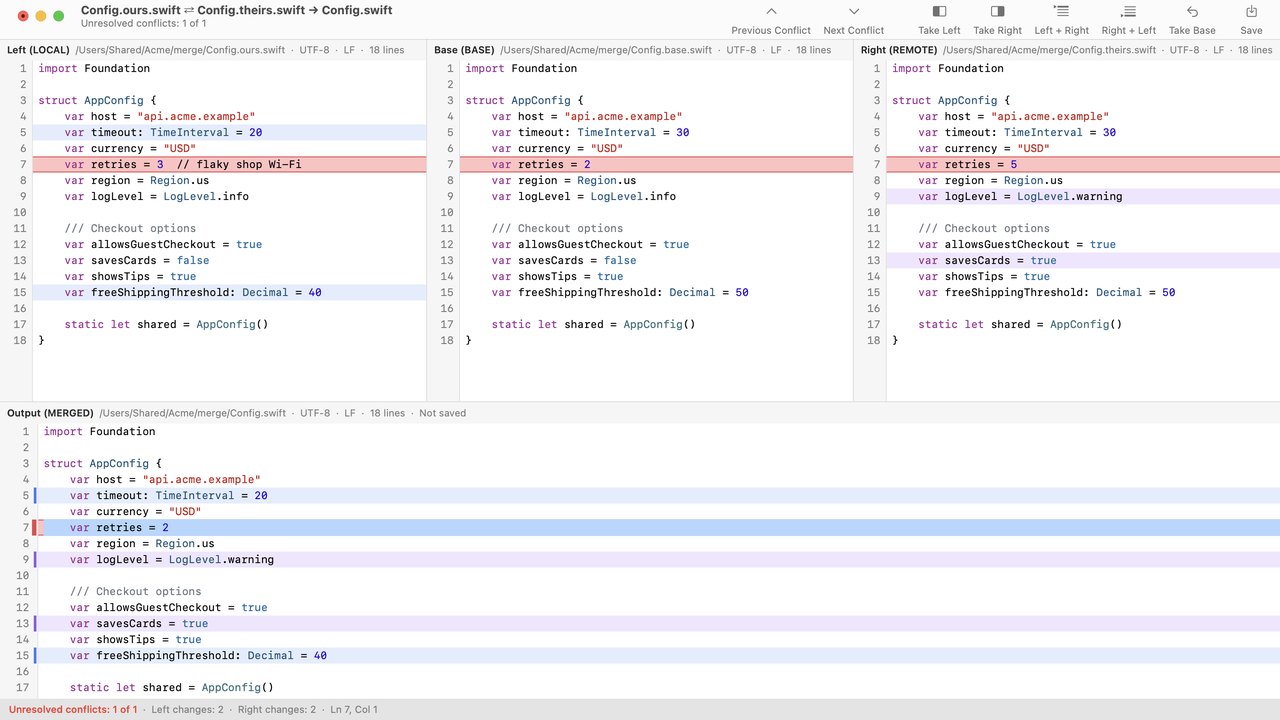
What does git mergetool do after the trial?
Beaver Compare still opens the merge, but without a license it
cannot save the result, so it returns exit code 1 and git keeps the
conflict for you to resolve. git difftool still opens comparisons
for you to look at.
How do I remove my license?
In Settings ▸ License, click
Remove License… and confirm. Do this
on a computer you no longer use, or after a refund. Beaver Compare
on that computer then works as it does without a license.
How does Beaver Compare update?
On a Mac, it checks for updates by itself, at most once a day, and
installs one only when you agree, also after the trial. Turn this
off in Settings with
Automatically check for updates, or
choose
Beaver Compare ▸ Check for Updates…
at any time. On Windows, the Microsoft Store keeps it up to date. A
license covers every 1.x version.
Anything else: write to
support@mindigest.com.